What Is a PSDT File and How to Open It in Photoshop (Step by Step)

A PSDT file is an Adobe Photoshop template. The .psdt extension stands for “Photoshop Document Template”: it holds the same layers, smart objects and layer styles as a normal PSD, but it is saved as a template so the original stays untouched. Every time you open it, Photoshop creates a new, untitled copy for you to edit. All Photoshop text effects, photo effects and mockups on Template Castle are delivered in this format.
This guide covers what a PSDT file is, how it differs from a PSD, how to open and edit one in five steps, and how to fix the most common problems.
What is a PSDT file?
A PSDT is a reusable starting point for a design. Designers use it for things you want to repeat with different content: a text effect you apply to any word, a mockup you fill with any logo, or a photo effect you apply to any picture. Because Photoshop opens a copy instead of the file itself, you cannot overwrite the template by accident.
PSDT vs PSD: what is the difference?
| PSD | PSDT | |
|---|---|---|
| What it is | A working Photoshop document | A Photoshop template |
| When you open it | Opens the file itself | Opens a new untitled copy |
| Saving | Ctrl/Cmd + S overwrites the file | Photoshop asks for a new name; the template stays intact |
| Layers and smart objects | Yes | Yes, the same ones |
| Best for | A one-off project | A design you reuse many times |
In short: the content is the same, the behavior on opening is different.
What you need
- Adobe Photoshop, ideally a current Creative Cloud version.
- The ZIP file you downloaded after your purchase (it also arrives by email).
- Your text, logo or image.
How to open a PSDT file in 5 steps
- Unzip the download. On Windows right-click and choose Extract All; on Mac double-click the ZIP.
- Open the template. Double-click the .psdt file, or in Photoshop go to File > Open and select it. Photoshop opens an untitled copy, so you can experiment without breaking the original.
- Find the smart object. In the Layers panel look for the layer named “Your Text”, “Your Design” or similar, marked with a small smart-object icon.
- Edit it. Double-click the layer thumbnail. A new tab opens: type your word, paste your logo or place your photo, then save that tab (Ctrl/Cmd + S) and close it.
- Export. Back in the main file the effect is applied automatically. Use File > Export > Export As to save a PNG or JPG, or Save As to keep a layered PSD.

How to convert a PSDT file to PSD
Open the PSDT in Photoshop and choose File > Save As (or Save a Copy), then pick Photoshop (.PSD) as the format. You now have a regular layered PSD you can keep editing, share with a client or send to print. To export a flat image instead, use File > Export > Export As and choose PNG or JPG.
Can you open a PSDT file without Photoshop?
PSDT templates are made for Adobe Photoshop, and that is where smart objects and layer styles behave as intended. Other editors that read PSD files may open a PSDT, sometimes only after you rename the extension to .psd, but effects built with layer styles and smart filters often look different or stop being editable. If the result matters, use Photoshop.
Common problems and quick fixes
- The file opens as “Untitled”. That is normal: it is how templates work. Save it with a new name when you are done.
- Missing font warning. The effect is a layer style, so you can use any font you like. Replace it with any font installed on your computer.
- The text looks cut off. Inside the smart object, make the text smaller or use fewer letters, then save again.
- Double-clicking does nothing. Make sure Photoshop is installed and set as the default app for .psdt files, or open it from File > Open.
PSDT file FAQ
Is a PSDT file the same as a PSD?
Almost. Both hold layers, smart objects and styles. The difference is that a PSDT opens as a new untitled copy, so the original template is never overwritten.
Which program opens PSDT files?
Adobe Photoshop. A current Creative Cloud version is recommended.
Why does my PSDT open as “Untitled”?
That is how templates work. Photoshop protects the original and gives you a fresh copy. Save it with your own name when you finish.
Can I use any font in a PSDT text effect?
Yes. In our text effects the look comes from layer styles on a smart object, so you can type with any font installed on your computer.
Can I use PSDT templates for client work?
Templates from Template Castle include a commercial license for your own and your clients' projects. Reselling or sharing the template files themselves is not allowed. See the license.
Where can I get a PSDT file to practice?
Download the Free Starter Pack: 4 Photoshop templates (two text effects, a photo effect and a mockup) for $0.
Start with a single template
New to templates? The Free Starter Pack gives you 4 PSDT files to try at no cost.
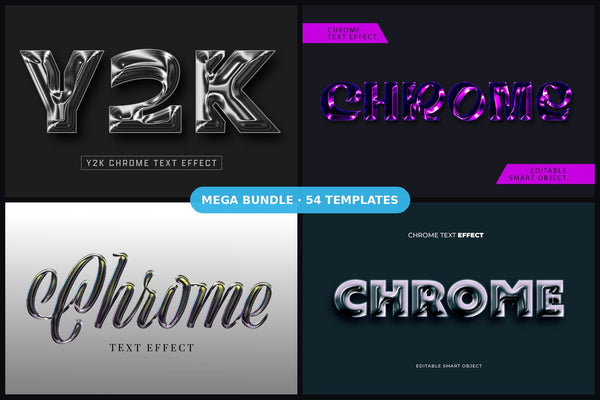
The easiest way to learn is with a single text effect. Good first picks are the Gold Metallic Text Effect, the Burning Flame Text Effect or the Chrome Text Effect series. Then explore the full range of Photoshop text effects, photo effects and t-shirt and apparel mockups — they all open the same way.
Find the right template in secondsEditable Photoshop, Illustrator and Canva templates with commercial license.
Browse templates